Every submittal, checked against every requirement.
Spectr cross-references submittals against the specs and drawings that define the project — and shows you the clause behind every finding.
A demonstration of Spectr: the project's specifications and drawings are uploaded, then a submittal is uploaded and checked against them, producing a list of findings where each one is either a match, a deviation, unclear, or missing.

The requirements that govern a submittal are scattered through a project manual that runs hundreds or thousands of pages, and across the drawing set. Spectr finds them in minutes. Less time hunting for what applies. More time on the judgment only you can make.
AI to help humans, not replace them.
How Spectr reviews every submittal.
The specs and drawings go in once. Every submittal after that is checked against them.
Upload the specs and drawings
Spectr parses the project manual into CSI divisions, sections, and the requirements inside them. The drawing set is read for schedules, notes, and callouts.
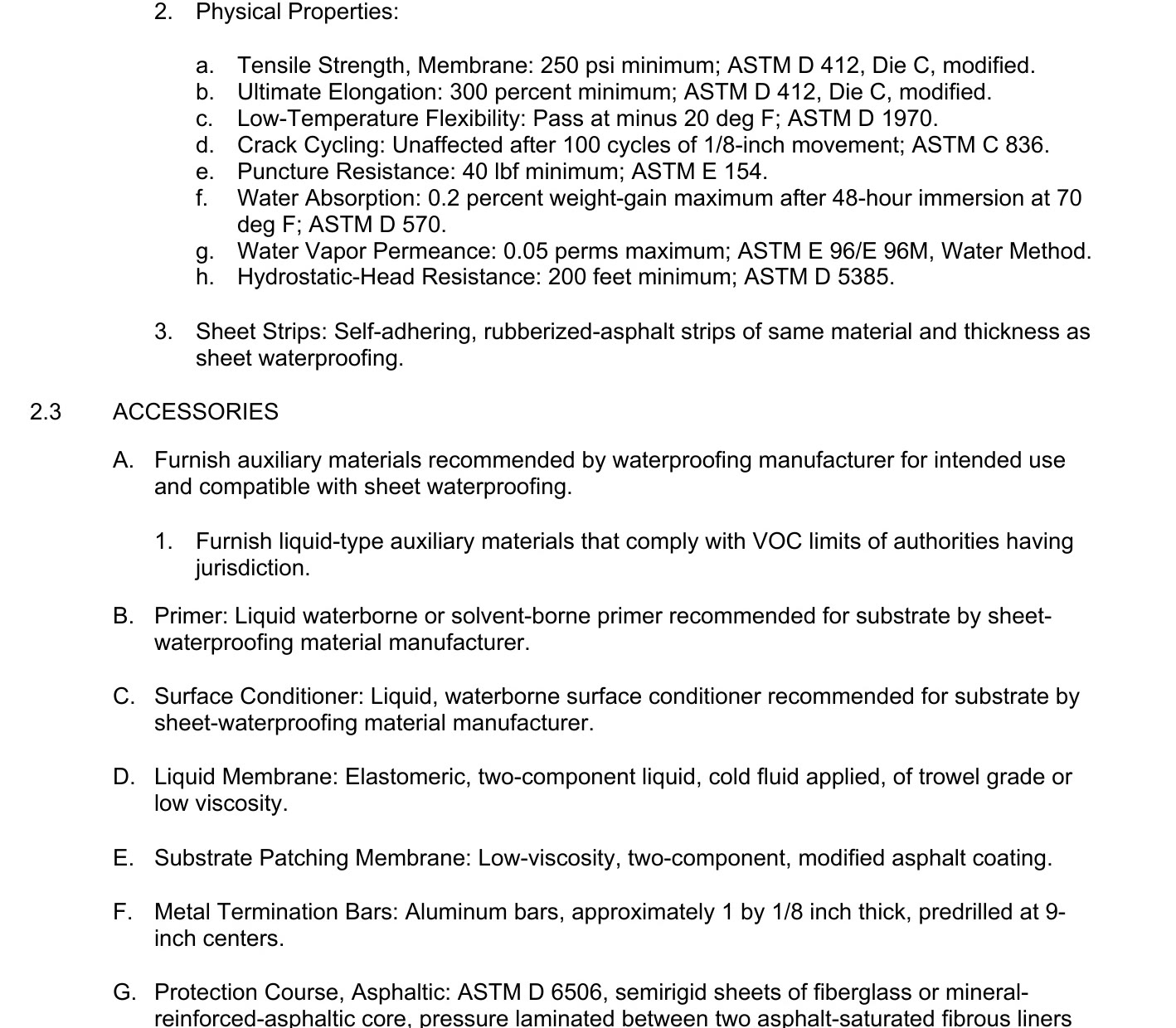
Upload the submittal
Product data, shop drawings, samples. Spectr matches the package to the sections it answers, then checks it against the specs and the drawings.
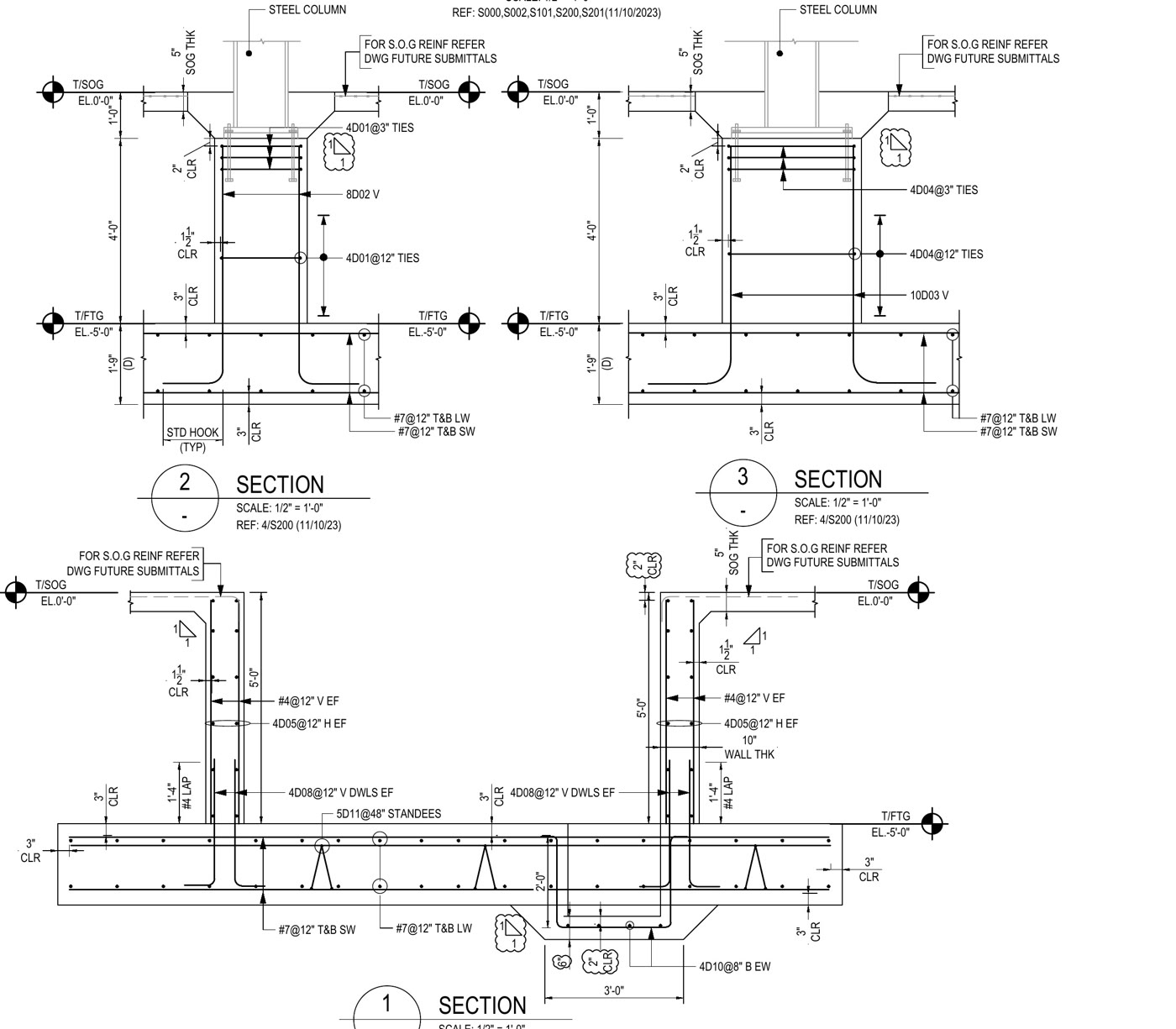
Review the findings
Every requirement in scope gets a finding. Each one names what was required, what was submitted, and the page it came from. The verdict is yours.
Review the findings, not the whole package.
Every requirement in scope is checked before you sit down with it. You start at what needs a decision. Where a deviation surfaces decides what it costs:
| Caught here | It costs you |
|---|---|
| In review | a comment |
| In the field | an RFI |
| After it's built | weeks and real money |
Every finding names the page that proves it, on the specs side and the drawings side.
41 requirements checked. 5 flagged. Values, substitutions, referenced standards, drawing conflicts, missing documentation.
What Spectr does.
Pick a line to see the part of the product it describes.
Your specs, made machine-checkable.
Spectr reads every section down to the individual requirement and breaks each one into facts a review can verify.
The project manual, parsed into divisions and sections The requirement, still attached to the text it came from One requirement, broken into checkable facts
Findings with the evidence attached.
Each incoming submittal is matched to the relevant spec sections and checked requirement by requirement.
Every requirement resolves to one of four verdicts Spec section on one side, submittal page on the other What was required, what was submitted, and the gap
Drawings, not just specs.
Requirements don't only live in the project manual. Spectr reads the drawing set too, and checks the package against both.
A callout on the design sheet, read as a requirement The shop drawing beside the sheet it answers The mismatch, written up with both sources cited
And what it doesn't.
Never your judgment.
Spectr produces findings with evidence. The verdict, the action, and the stamp stay with the licensed reviewer.
Not a design reviewer.
It checks submittals for conformance with your contract documents — not whether the design itself is right, safe, or code-compliant.
No guesses.
When a requirement applies but the package never answers it, the finding is "missing". When nothing in the specs governs a claim, it's "unclear". Never an invented answer.
Never training data.
Your documents run your reviews. They never train models for anyone else, and never cross between customers.
Built for both sides of the review.
Architecture and engineering firms are onboarding now. Contractors are welcome too.
For architects & engineers
- Clear the submittal log without surrendering design hours.
- A record of what was checked and where it was found, so the stamp you put down is one you can defend.
- The same depth of review from every reviewer on the team, on every package.
For general contractors
- Check the package against the spec before it goes out. Deviations caught here don't come back as resubmittals.
- Every resubmittal is another round trip: sub to you, you to the design team, and back again. Each one costs days you can't build in. Fewer rounds, more time in the field.
- See your submittal exactly the way the reviewer will.
Built for both sides, by both sides. A general contractor and an architect.
Frequently asked questions.
What happens when the specs and the drawings disagree?
It's flagged as a finding with both sources cited: the spec section on one side, the sheet it conflicts with on the other. Which one governs is your call.
What documents does it work with today?
Project manuals, submittals — shop drawings, product data, samples — and design drawing sets. If it moves through your submittal log, it belongs in Spectr.
Can Spectr tell me if the design itself is wrong?
No — and it won't. Spectr checks submittals for conformance with your contract documents. Design adequacy, discipline coordination, and code compliance stay with the design team; judging the design was never the job.
Where does our project data live?
Encrypted in transit and at rest, used only to run your reviews, never sold, and deletable by you at any time. Your documents never train models for anyone else. The full policy is on our privacy page.
What does the beta include?
The full product, free, on your live projects. Beta partners get a direct line to the team, and we ship to your feedback as we build.
What will it cost after launch?
Launch pricing isn't set yet. Beta partners lock in founding-firm pricing before we go to market.
Build it with us.
We're onboarding a small cohort of architecture and engineering firms, and the contractors who submit to them. Run Spectr free on live projects while we build alongside you. Founding-firm pricing is locked in at launch.